> For the complete documentation index, see [llms.txt](https://docs.inqud.com/llms.txt). Markdown versions of documentation pages are available by appending `.md` to page URLs; this page is available as [Markdown](https://docs.inqud.com/crypto-widget/extra-features/binance-pay.md).
# Binance Pay
{% hint style="info" %}
This integration is supported only for projects of the "Dynamic" type.
{% endhint %}
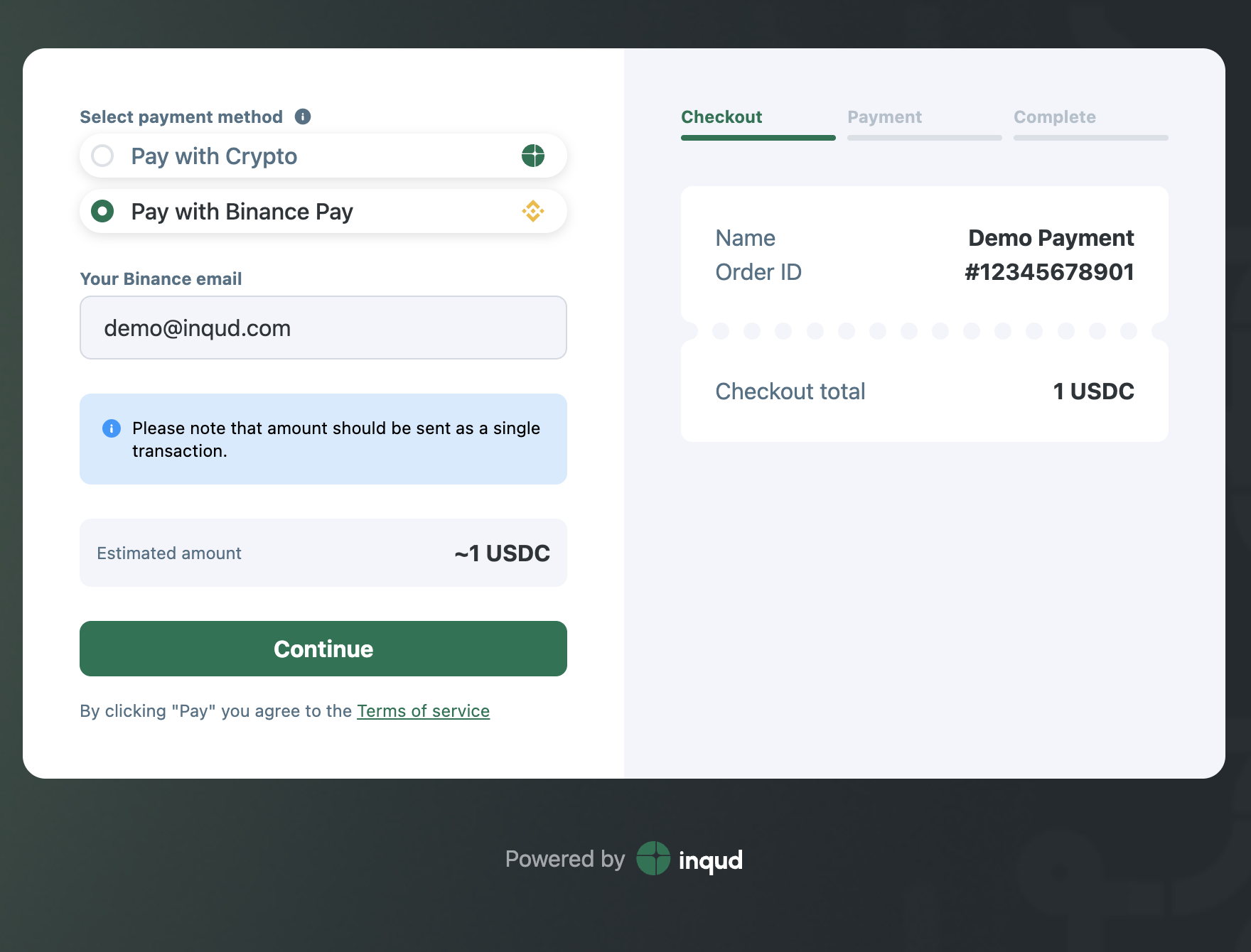
Accept Binance-to-Binance payments in your checkout. The customer pays in Binance with any supported asset; Binance auto-converts to your chosen **Currency**, and we credit your **Inqud balance** in that currency. No on-chain network fees for the customer.
### How it works
1. Customer selects **Pay with Binance Pay** and clicks **Continue**.
2. We create a **Binance Pay** order and redirect the customer to **Binance** (app/web).
3. Your checkout switches to **Payment pending** with a timer and **Go to Binance**.
4. Customer confirms the payment in **Binance**.
5. We receive confirmation from **Binance**, change the order status to **SUCCESS**, and send your standard Inqud webhooks.
### Customer experience
* Pay from any asset in a Binance account balance; conversion to your **Currency** happens on Binance’s side.
* No wallet addresses, no gas settings. One confirmation step in Binance.
### **Setup (Widget → Integrations)**
* **Currency** - settlement asset credited to your Inqud balance (Binance converts incoming payments to this asset).
* **Auto exchange to** - optional post-receipt conversion by Inqud to another asset on your balance.
* **Currency = None** → method **Inactive**; otherwise **Active**.
Widget configuration
### Integration
* **Checkout API (**[**redirect**](/crypto-widget/integration/redirect-payment-flow.md) **or** [**embedded widget**](/crypto-widget/integration/embedded-widget.md)**):** No changes required. Enable Binance Pay in project settings by selecting **Currency -** the method appears automatically in checkout.
* **Requests API (**[**custom UI**](/crypto-widget/integration/using-your-own-ui-with-inqud-processing.md)**):** Implement Binance Pay using the [**API reference**](https://apireference.inqud.com/#tag/crypto-acquiring-requests/operation/user_crypto-acquiring_create-request) **examples** (create request, handle standard statuses/webhooks).